Free AI Product Photo Generator
Upload one photo of your product. Get studio and lifestyle shots with the label, logo and colours exactly as they are. 10 free, no card.
Kept privately for 90 days so you can come back. Delete anytime.
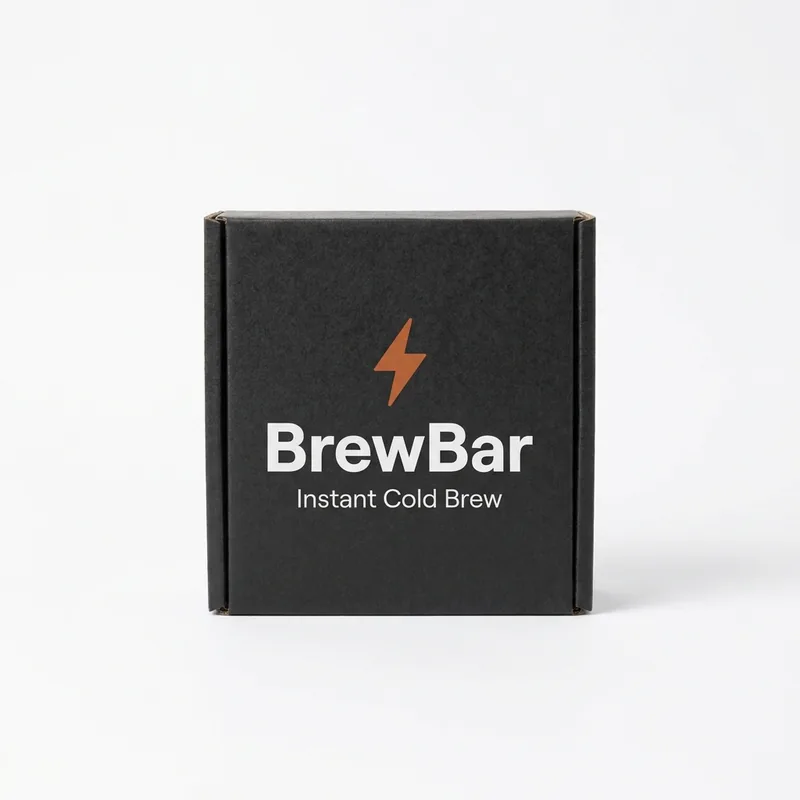
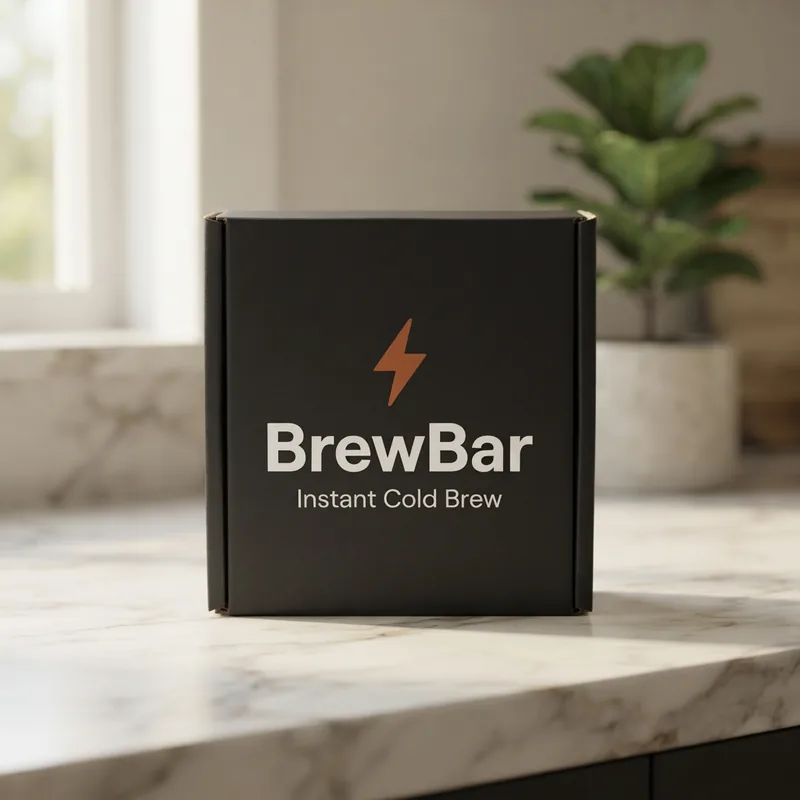
How to get ad-ready product photos without a shoot
A shoot costs a day and a few hundred dollars, and gives you five hero shots when what paid social actually eats is thirty variations. This is for the founder with one decent photo of the product who needs it on a marble counter, on a wooden table, in a gift scene and on a clean white background by Friday.
Picking a scene
Start with one of the six scenes. If you write your own, describe everything around the product: the surface it sits on, the light, the camera angle, one or two props, the mood, and say nothing about the product itself. It is already looking at your product; every word you spend re-describing it is an invitation to re-imagine it. Good scene notes are under thirty words. Change one thing at a time when you iterate.
What makes a good upload
The result can only be as accurate as what you send. Use a well-lit, evenly exposed photo with the label facing the camera and readable, on a plain background, at least 1000px on the long edge. Avoid heavy shadows across the label, blur, glare over text, and photos where the product is already sitting in a busy scene. A plain phone photo on a sheet of white paper near a window beats a stylish shot with the logo half in shadow.
Green, amber and red
Every photo is compared with your original and gets one label. Green: matches your product; use it. Amber: check the label closely; usually small print or an edge of the logo has shifted. Red: the product came out wrong; pick a simpler scene. Occasionally the comparison cannot run and the photo reads “not checked”. It is still fine to use, just ungraded.
Once you have a photo you like, the next limit is format: on Meta and TikTok, stills earn fewer placements than video. IgniteAI turns the same product photo into a short video ad (hook, presenter, voiceover and captions) so the offer competes in the format the auction favours.
Frequently asked questions
What does the AI product photo generator do?+
You upload one photo of your product, pick a scene (white studio, kitchen counter, wooden table, outdoors, flat lay or festive), and it makes a new photo of that same product in that scene. It is not a background remover and not a stock-photo search: your product is placed into the new scene with its real packaging, colours, logo and label text, so the result is usable as an ad or a listing image. One photo per request, about 10 to 20 seconds each.
Will it change my logo or the words on my label?+
It is told not to, and every photo is then checked against your original before you see it. The check looks at the label text, the logo, the colours and the shape of the product, and the result gets one plain label. Green means it matches your product and you can use it. Amber means something small moved, so zoom in before you publish. Red means the product came out wrong, so pick a simpler scene and try again.
Can I change just one thing in a photo?+
Yes. Under any result, tap "Change something" and describe the one thing you want different: "make the background white", "show a person holding it", "warmer, softer lighting". The tap-to-fill suggestions under the box are written for that particular photo, so they suggest changes that make sense for what is actually in it. That photo is sent back as the starting point with your instruction, so the product, the pose and the rest of the scene carry over and only what you named moves. You can keep changing the newest result, one thing at a time, which works far better than describing a whole scene again. Each change makes a new photo and uses one of your ten free ones.
Why do I have to enter a 6-digit code?+
We email you a code once so the 10 free photos can be tied to a real address rather than being drained by bots. Type the code in and it is done: no password, no account, and we remember you on that device for a month. If you come back later on a different phone or browser, we will email a fresh code, and once you enter it your saved photos come back with it.
How many photos are free, and do I need a card?+
Ten photos per email address, and no card at any point. There is no trial that turns into a charge. When your ten are used, the tool stops and points you at the video ad generator. There is also a shared daily budget across everyone using the tool, so on a busy day you may be asked to come back tomorrow; the message on screen will say which limit you hit.
Do you keep my photos?+
Yes, privately, for 90 days: the photo you upload and every photo the tool makes for you. They are held against the email address you verified, so when you come back, on this phone or any other, you enter the code once and your photos are there instead of a blank page. Nobody browses to them: they are not public, not shared and not used for training. Under "Your photos" each one has a Delete link and there is a "Delete all my photos" link that removes everything we hold for your address, upload included. After 90 days it goes automatically. Deleting does not give back any of your ten free photos, so download anything you want to keep.
Can it show my product from a different angle?+
Partly. If the back of your box is not visible in the photo you uploaded, there is no information about it and anything shown there is a best guess. A slight turn where the front stays in view is usually fine; a full rotation is not. Keep the front of the product facing the camera if the label matters, and upload a separate photo of the other side if you need that side shown.
What is used to make the photos?+
Google's latest image model, which is currently the strongest at changing the scene around a subject while leaving the subject alone, exactly what product photography needs. The check that compares the result with your original runs separately, so nothing is marking its own homework.
Can I use these photos in ads and on marketplaces?+
Yes. It is your product and these are your photos, so use them in ads, on your storefront or on marketplaces. Two practical caveats: some marketplace categories require unedited photography of the actual item, so check the policy where you are listing, and do not use a generated scene to suggest a claim your label cannot support.